Search
Ctrl+K — or / — from any screen, or the search band on the dashboard.
What you can type
The field accepts what you remember rather than what you would have to know.
| You type | You find |
|---|---|
par-core |
devices whose name starts that way |
10.20. |
devices in that addressing plan |
Paris-DC1 |
devices on that site |
production |
devices carrying that tag |
acme |
the customer, and its objects whose name mentions it |
netops |
the credential and the account it carries |
agent-paris |
the agent |
par-croe |
par-core-sw-01 — the typo is caught |
Four families are covered: customers, devices, agents and credentials.
Results already carry the information
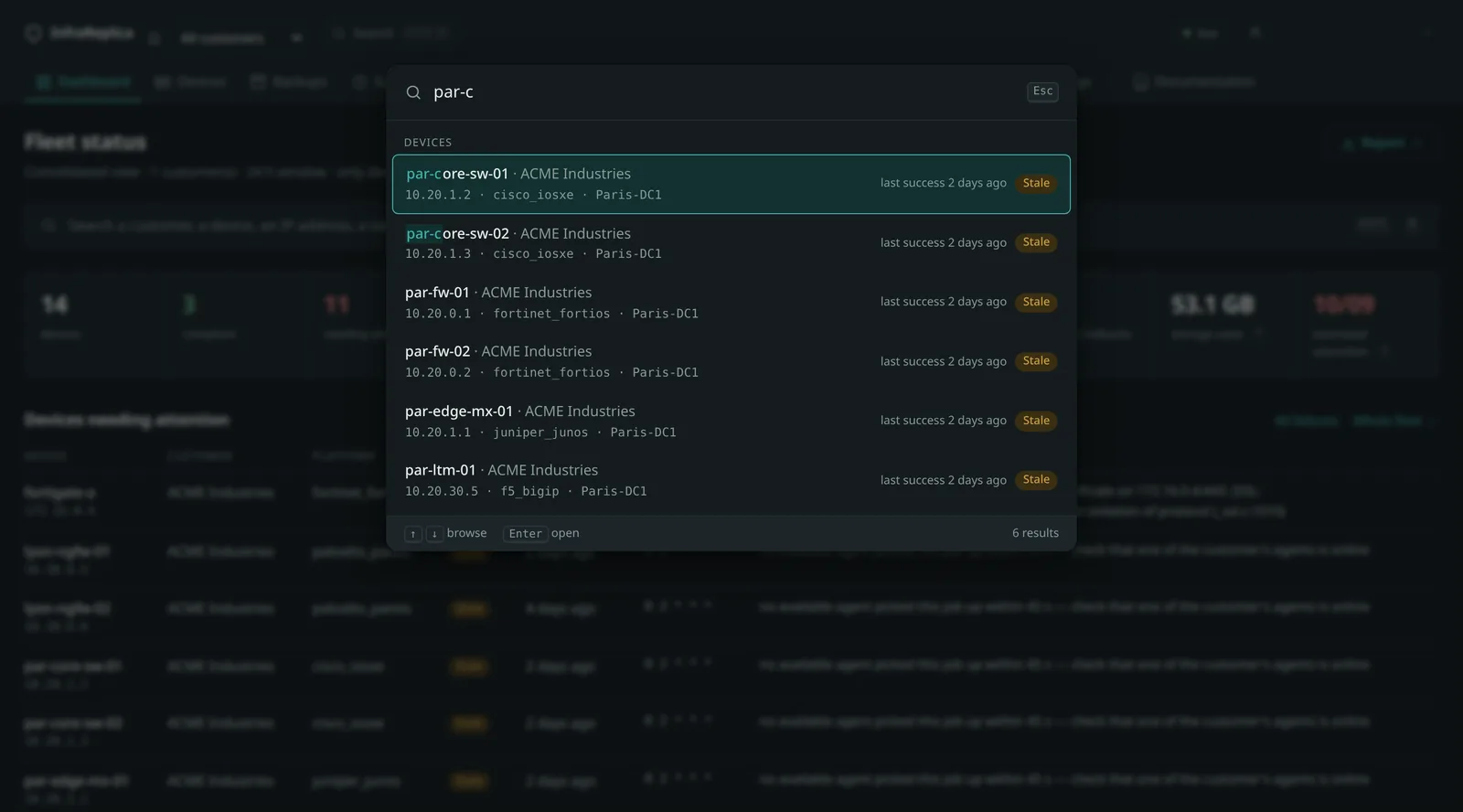
That is the main intent. Every result shows the backup state, the age of the last success and the customer concerned: you answer “where does this device stand?” without opening its page.
Results arrive as you type, without submitting. ↑ and ↓ move through
them, Enter opens the selected one, Esc closes.
What search does not do
It never crosses isolation. A customer account cannot discover that an object of another customer exists, not even through a partial name match.
It checks permissions family by family. A role with no access to the credentials screen does not see their names go past in the results.
It queries no secret value. A credential is found by its name and by the account it carries, never by its password or its token.
It writes nothing and logs nothing. Recording every keystroke would drown the audit log, whose purpose is to trace views — and those stay traced, on the screens you open from the results.
Tolerance to typos
Approximate search rests on the PostgreSQL pg_trgm extension, installed at
first start. If the instance does not allow it, startup continues and a warning
is logged: search stays usable, limited to substrings.
Ranking combines several levels of relevance — exact match, then prefix, then substring penalised by its position, then approximate resemblance. An unrelated name is not returned.
Measured on a fleet of two thousand devices: 26 to 65 ms per query.
Also via the API. Useful to resolve a name into an identifier before chaining another call.
Below two characters the response is empty.curl -s -G "$BASE/api/search" \ --data-urlencode "q=par-core" --data-urlencode "limit=10" \ --data-urlencode "tenant=$CUSTOMER" \ -H "Authorization: Bearer $TOKEN"limitranges from 1 to 50, 20 by default. Requiresdevice:read.
For each result the response carries its type (device, tenant, agent or
credential), its libelle, its url in the interface, its etat when the
object has one, and the champs that produced the match.